Assignment 02
- Goals:
- Merge the Google Maps API with Android Sensors
- Admin
- This is a one or two person assignment
- It took me about 1 hour plus time to download stuff and write up these instructions.
- It is due late Friday night 1/20 at midnight.
- Submit a single .apk file using the EEE dropbox submission under "#2 Google Map App"
- Export a signed .apk from Eclipse.
- Then get the fingerprint based on the keystore that you just used from the command line.
- Then get a Google Map key using the keystore fingerprint from this website
- Then put the Google Map key into the map view that you are using in Eclipse.
- Then save everything.
- Then re export your signed apk file and send that one to me.
- See here for details
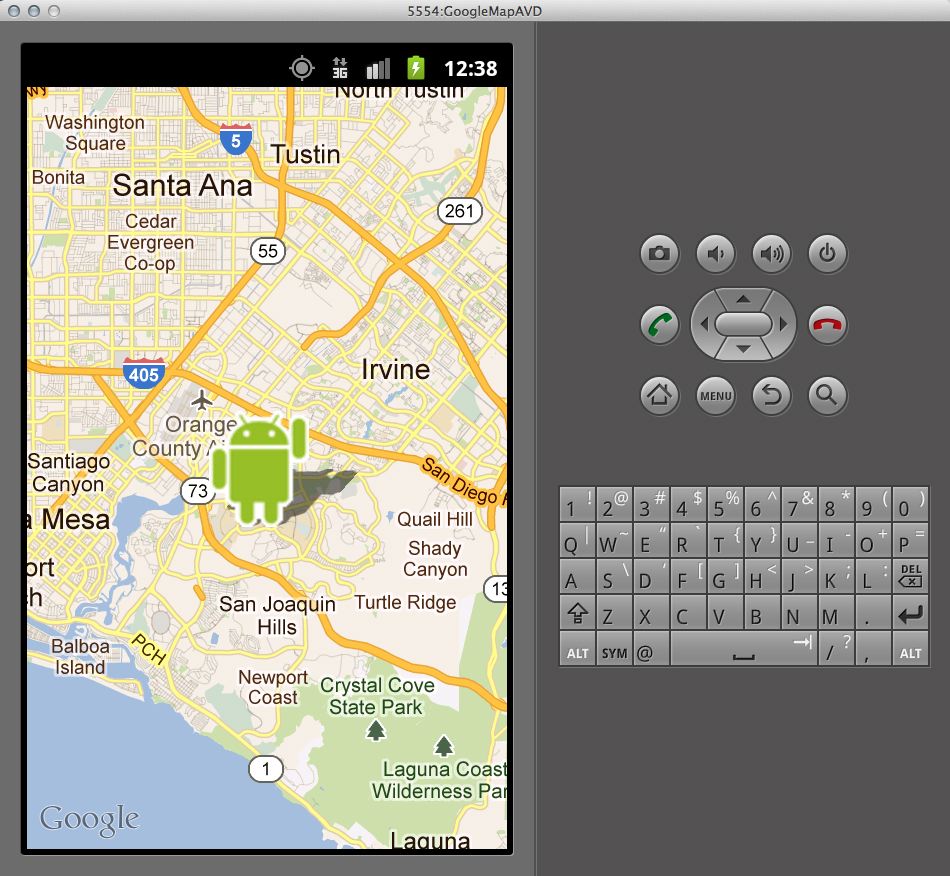
- Create an Android application that when launched shows a map with the phone's current location plotted on it.
- Use Android SDK 2.3.3 (The Google Maps API version of it) and export an unsigned .apk file
- The icon does not need to be clickable
- There should be nothing else in the application.
- Here is an screen shot as an example.
- You may ask, "How can I possibly do this?"
- First try and get a Map to show up following these instructions.
- You will need to use the build target of "Google APIs" v2.3.3 instead of "Android SDK" v2.3.3
- You will also need to create a new emulator that has the same build target using the "AVD" manager from within Eclipse.
- You may need to download that build target.
- When you modify your Android manifest file the Google instructions contain an error. This web page helped me to fix those problems.
- Then get your location using these instructions.
- In the Android manifest file you will want to give your application permission to access "android.permission.ACCESS_FINE_LOCATION" in addition to the permissions that are already there.
- Once you get your location, add your location to the map using an "overlay" which is the second part of the Map instructions.
- First try and get a Map to show up following these instructions.
- When debugging you may find it helpful to know that Eclipse can send the emulator fake location information
- "Select Window > Show View > Other > Emulator Control.
In the Emulator Control panel, enter GPS coordinates under Location Controls as individual lat/long coordinates, with a GPX file for route playback, or a KML file for multiple place marks. (Be sure that you have a device selected in the Devices panel—available from Window > Show View > Other > Devices.)" [citation]
- "Select Window > Show View > Other > Emulator Control.
- Finally I found it helpful to know that I could output debug information to the "LogCat" Consolein Eclipse when running my application in the emulator by using the Log class described here.